One API key for every model you build with
Call leading language models through an OpenAI-compatible endpoint, and generate images, video, audio and 3D through one queue API. Same key, same wallet.
Keep the OpenAI SDK you already use. Only the base URL and the key change.
curl https://www.genspark.ai/api/v1/chat/completions \
  -H "Authorization: Bearer $GENSPARK_API_KEY" \
  -H "Content-Type: application/json" \
  -d '{
    "model": "claude-sonnet-5-5",
    "stream": true,
    "messages": [
      {"role": "user", "content": "Write a haiku about queues."}
    ]
  }'
Response 200 OK · [DONE]
Requests line up, still.
One by one, the light finds them.
The queue drains at dawn.
import os
from openai import OpenAI

client = OpenAI(
    api_key=os.environ["GENSPARK_API_KEY"],
    base_url="https://www.genspark.ai/api/v1",
)
prompt = "Write a haiku about queues."
stream = client.chat.completions.create(
    model="claude-sonnet-5-5",
    messages=[{"role": "user", "content": prompt}],
    stream=True,
)
for chunk in stream:
    print(chunk.choices[0].delta.content or "", end="")
Response 200 OK · [DONE]
Requests line up, still.
One by one, the light finds them.
The queue drains at dawn.
import OpenAI from "openai";

const client = new OpenAI({
  apiKey: process.env.GENSPARK_API_KEY,
  baseURL: "https://www.genspark.ai/api/v1",
});
const prompt = "Write a haiku about queues.";
const stream = await client.chat.completions.create({
  model: "claude-sonnet-5-5",
  messages: [{ role: "user", content: prompt }],
  stream: true,
});
for await (const chunk of stream) {
  process.stdout.write(chunk.choices[0]?.delta?.content ?? "");
}
Response 200 OK · [DONE]
Requests line up, still.
One by one, the light finds them.
The queue drains at dawn.
# Submit, then poll the status_url from the 202 response.
curl -X POST \
  https://www.genspark.ai/api/v1/queue/fal-ai/flux-3 \
  -H "Authorization: Bearer $GENSPARK_API_KEY" \
  -H "Content-Type: application/json" \
  -d '{"prompt": "A lighthouse at dawn, film photo"}'
Response 200 OK · COMPLETED
- 202 {"request_id": "7f66da0b…", "status_url": …}
- GET …/status IN_QUEUE queue_position: 0
- GET …/status IN_PROGRESS
- GET …/status COMPLETED
- GET …/requests/7f66da0b… images[0]

Model families you can call today
- Text
- GPT
- Claude
- Gemini
- DeepSeek
- Qwen
- Kimi
- GLM
- MiniMax
- Image
- FLUX 3
- Seedream 5.5
- Nano Banana 2.1
- Video
- Veo 3.1
- Kling V3
- MiniMax H3
- Vidu Q4
- FLUX 3 Video
- Audio
- ElevenLabs v4 TTS
- Gemini 3.8 Flash TTS
- MiniMax Music 3.0
- Lyria
- ElevenLabs Sound Effects
- 3D
- Marble 1.1
- Tripo H3.1
- 5modalities: text, image, video, audio and 3D
- 1key for chat models and the media queue
- 2lines to change in your OpenAI SDK setup
- 3ways to get a media result: poll, status stream or signed webhook
Text, image, video, audio and 3D behind one API
Language models answer on an OpenAI-compatible endpoint. Media models run on one queue API. Both share a base URL and a key.
-
userWrite a haiku about queues.
assistant
Requests line up, still.
One by one, the light finds them.
The queue drains at dawn.Example reply Text
Chat Completions and Responses, with streaming. Models from OpenAI, Anthropic, Google and more.
GPT · Claude · Gemini · DeepSeek · Qwen · Kimi · GLM · MiniMax
-


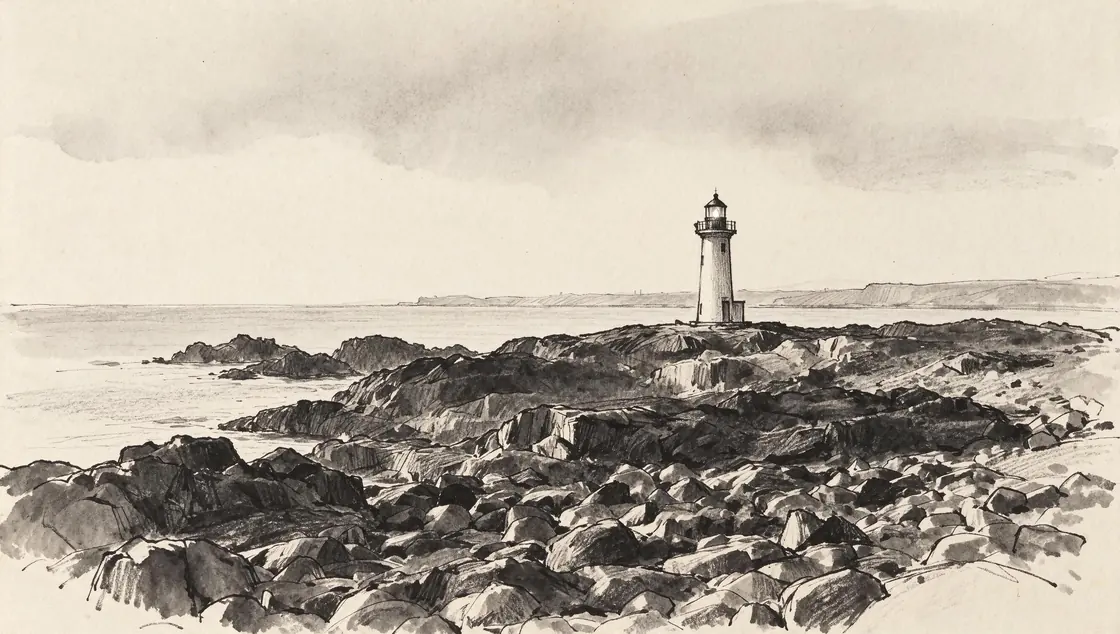
A lone white lighthouse on a basalt headland at dawn, film photo ["A lone white lighthouse on a basalt headland at dawn, film photo","Turn this photograph into a cyanotype print","Turn this photograph into an ink and charcoal sketch"]Image
Text-to-image and image-to-image generation.
FLUX 3 · Seedream 5.5 · Nano Banana 2.1
-
Image-to-videoWaves wash over the rocks, mist drifts, the lamp glows Video
Text-to-video and image-to-video, with first and last frame control on supported models.
Veo 3.1 · Kling V3 · MiniMax H3 · Vidu Q4 · FLUX 3 Video
-
The reply, read aloud0:08 Audio
Speech, music and sound effects.
ElevenLabs v4 TTS · Gemini 3.8 Flash TTS · MiniMax Music 3.0 · Lyria · ElevenLabs Sound Effects
-
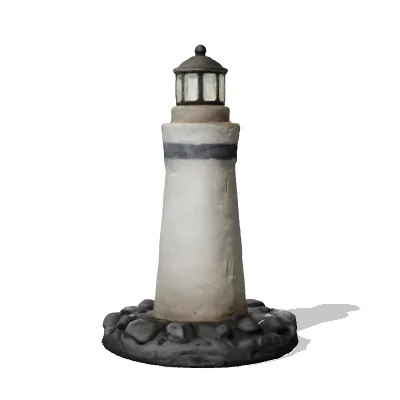
Drag to turnCeramic lighthouse figurine on a rocky base 3D
Text-to-3D and image-to-3D worlds and meshes.
Marble 1.1 · Tripo H3.1
Built for production
Keys, spend and logs are handled in the API platform, so a team can share one account safely.
-
OpenAI compatible
Point the OpenAI SDK, or any client that accepts a custom OpenAI base URL, at Genspark.
-
One key, every modality
The same key calls chat models and the media queue. No per-vendor accounts to manage.
-
One team wallet
An organization admin tops up the API wallet and every member key draws from it. It is separate from Genspark membership credits.
-
Per-key controls
Scope each key, allow or deny models, set a spend cap and a concurrency limit. Rotate the secret without changing the key id.
gmk_live_3f9a0c71…staging
Models
Spent252
Secret••••a91f
Credits this period
{"credits":"Credits this period","reached":"Cap reached: new calls are refused"} -
Request log and usage
Every call is recorded with its model, status and cost, and can be filtered by key.
-
Queue API with webhooks
Submit long-running media jobs, then poll, follow the status stream, or receive a signed webhook when the result is ready.
First call in three steps
There is no new SDK to learn. If your code already talks to OpenAI, it already talks to GensparkRouter.
-
Fund the API wallet
An organization admin adds funds to the API wallet.
-
Create a key
Open the API platform, create a key and copy the secret. It is shown once.
-
Make a call
Set the base URL and send your first request.
Base URL
https://www.genspark.ai/api/v1 Works with the OpenAI SDKs and with clients that accept a custom OpenAI base URL, such as Cursor, Cline, ChatBox and GenOffice.
Get API keyFrequently asked questions
What is GensparkRouter?
GensparkRouter is the Genspark API platform. It gives developers one API key for leading language models through an OpenAI-compatible endpoint, and for image, video, audio and 3D generation through a queue API.
Who can use GensparkRouter?
It is rolling out to Genspark Team organizations. Members of an organization with the API platform switched on can create keys.
Which models can I call?
Language models from OpenAI, Anthropic, Google and open-model providers, plus media models such as FLUX 3, Seedream 5.5, Veo 3.1, Kling V3, ElevenLabs, Marble and Tripo. The API platform lists the full catalogue with each model’s price.
Does it work with the OpenAI SDK?
Yes. Chat Completions and Responses follow the OpenAI format. Set the base URL and use your Genspark key.
Can I use it in Cursor, Cline or ChatBox?
Yes. Any client that accepts a custom OpenAI base URL works: enter the GensparkRouter base URL and your key.
How is usage billed?
Text models are billed per token and media models per generation, at each model’s listed price. Charges come from your organization’s prepaid API wallet, which is separate from Genspark membership credits.
What can an API key access?
Only model calls. A key cannot reach any other Genspark product or the data in your Genspark account.
Am I charged for a media request that does not finish?
No. A request that fails, is refused by content moderation, times out, or is cancelled while queued is refunded.
Start building
Create a key in the API platform and make your first call.